

Unlocking the Potential of Duplex IPTV: A Comprehensive Guide to Next-Generation Streaming

Understanding Duplex IPTV: A Comprehensive Guide for Users
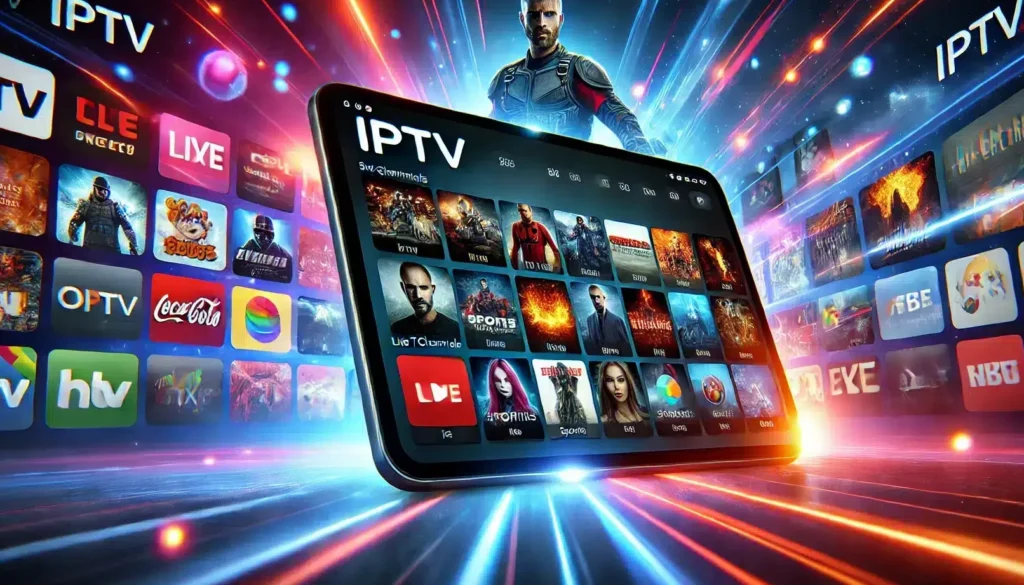
Understanding Duplex IPTV can be quite straightforward once you get to grips with the basics of this popular streaming technology. At its core, Duplex IPTV is a user-friendly media player application that allows users to watch live TV, VOD, and series on various devices, including smart TVs, smartphones, and tablets.
To begin using Duplex IPTV, you must first install the app on your compatible device. The process typically involves downloading the app from the relevant app store or via an APK file for Android devices. Once installed, the next step is to configure the app by adding your IPTV subscription details, which usually include a playlist in the form of an M3U link provided by your IPTV service provider.
One of the key features of Duplex IPTV is its Electronic Program Guide (EPG), which offers a convenient overview of current and upcoming programming across all available channels. This feature enhances the user experience by making it easier to plan viewing schedules and discover new content.
Moreover, Duplex IPTV supports high-quality streams, including 4K resolution, depending on the source material and your internet connection. This ensures that users can enjoy their favorite shows and movies in the best possible quality.
Another significant aspect of Duplex IPTV is its user interface (UI). The UI is designed to be intuitive and easy to navigate, allowing users to quickly find and access their desired content. Customization options are also available, enabling users to tailor the layout and appearance to their preferences.
It's important to note that while Duplex IPTV itself is just a media player, the content you access through it must be legally obtained. Users should ensure they have the right to stream the channels and media provided by their IPTV service.
In terms of compatibility, Duplex IPTV works on a wide range of devices, offering flexibility for users who want to switch between watching on a big screen and a mobile device. Cross-platform support means that you can start watching on your phone and easily continue on your smart TV.
Lastly, Duplex IPTV may require periodic updates to ensure stability, introduce new features, and maintain compatibility with streaming standards. These updates are essential for keeping the app running smoothly and securely.
In summary, Duplex IPTV is a versatile and user-friendly option for those looking to enhance their TV viewing experience through IPTV services. With its combination of ease of use, quality streaming, and comprehensive EPG, it stands out as a strong choice in the world of IPTV applications.
What is Duplex IPTV and how does it differ from traditional IPTV services?
Duplex IPTV is an app that allows users to watch IPTV (Internet Protocol Television) by entering their own playlist. Unlike traditional IPTV services, which often come with pre-loaded channels and content, Duplex IPTV requires users to provide their own content sources, typically in the form of an M3U playlist or similar. This means that Duplex IPTV does not provide any content itself but is a platform for streaming content from user-provided playlists.
How can you set up Duplex IPTV on various devices such as smart TVs, Android boxes, and mobile devices?
To set up Duplex IPTV on various devices, follow these steps:
1. Download and Install: For smart TVs (like Samsung or LG), download Duplex IPTV from the TV's app store. For Android boxes and mobile devices, get it from the Google Play Store or respective app stores.
2. Open the App: Launch Duplex IPTV. It will display a Device ID and Device Key.
3. Activation: Visit the Duplex IPTV website (edit.duplexiptv.com) on a computer or mobile browser, enter the provided Device ID and Device Key to access the management portal.
4. Playlist Setup: In the management portal, add your IPTV playlist URL and EPG URL (if available). These URLs are typically provided by your IPTV service provider.
5. Save and Sync: Save your playlist settings and sync them to your device by selecting 'Add Playlist'. Your content should now be available on your Duplex IPTV app.
Remember to ensure your device is connected to the internet during this process.
What are the common troubleshooting steps if you encounter issues with streaming or connectivity on Duplex IPTV?
If you encounter issues with streaming or connectivity on Duplex IPTV, follow these common troubleshooting steps:
1. Check your internet connection: Ensure your device is connected to the internet and has a stable, high-speed connection.
2. Restart your device: Sometimes a simple restart can resolve temporary glitches.
3. Update the app: Make sure Duplex IPTV is updated to the latest version.
4. Clear cache: Go to the app settings and clear the cache to remove any corrupted data.
5. Re-enter playlist URL: Verify that the playlist URL is correct and re-enter it if necessary.
6. Check server status: The issue might be with the IPTV service provider's server. Check their status or contact support.
7. Try a different network: If possible, connect to a different network to rule out local network issues.
8. Contact support: If all else fails, reach out to Duplex IPTV's customer support for assistance.

Unlocking Entertainment: Exploring Free IPTV Options for Netflix Spain

Streamlining Your Tunes: How to Pay for Spotify with Nequi

Unlocking the Full Potential of Streaming: A Deep Dive into IPTV Extreme

Unlocking Entertainment: The Rise of IPTV Services in Spain
Exploring NewPlay IPTV: The Next Generation of Streaming Services

Experience Seamless Streaming: How Joyful IPTV is Revolutionizing Home Entertainment
Go up
Deja una respuesta