

How to Redeem and Use Spotify Gift Cards for Your Music Subscription

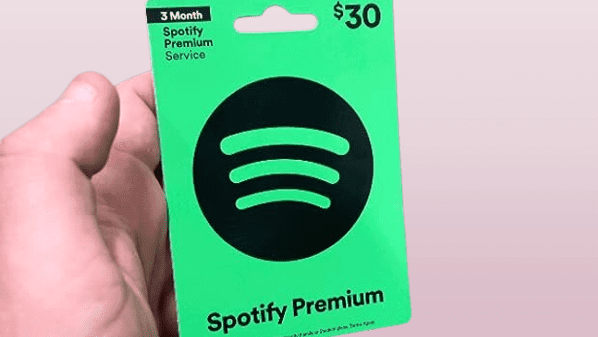
How to Redeem and Use Your Spotify Gift Card for Music Streaming
If you've received a Spotify gift card, you're just a few steps away from enjoying unlimited streaming of your favorite songs and podcasts. Here's how to redeem your Spotify gift card and start using it for your music streaming needs.
First, make sure you have a Spotify account. If you don't, head over to the Spotify website and sign up—it's free to create an account, but you'll need one to redeem your gift card.
Once you have an account, follow these steps:
1. Go to the Spotify website and log in to your account.
2. Navigate to the Redeem page by typing spotify.com/redeem into your browser or by selecting 'Redeem' from the account dropdown menu.
3. Scratch off the grey covering on the back of your gift card to reveal the unique code.
4. Enter the code in the provided field on the Redeem page.
5. Click the Enter Code or Redeem button.
Your Spotify balance will now be updated with the value of the gift card. You can use this balance towards a Premium subscription, which removes ads, allows for offline listening, and provides better sound quality among other benefits.
Remember that the gift card is only valid for the country where it was purchased, and it cannot be used in conjunction with other discounts or promotions. Also, if you're already subscribed to Premium through a third party (like iTunes), you'll need to cancel that subscription and wait for it to expire before you can use your Spotify gift card balance.
Enjoy your enhanced music streaming experience with Spotify Premium!
How can I redeem a Spotify gift card to pay for my subscription?
To redeem a Spotify gift card for your subscription, follow these steps:
1. Go to the Spotify website and log in to your account.
2. Click on your profile name in the top-right corner, then select 'Account' from the dropdown menu.
3. Scroll down to the 'Your plan' section and click on 'Redeem'.
4. Enter the pin or code from the back of your gift card (you may need to scratch off the covering).
5. Click 'Enter Code' to apply the balance to your subscription.
Make sure your gift card is still valid and that you're redeeming it in the correct country's version of the Spotify website.
What should I do if my Spotify gift card is not working when I try to use it?
If your Spotify gift card is not working, you should first ensure that the card has been activated and that you are entering the code correctly. Check for any country or region restrictions as Spotify gift cards are often limited to certain locations. If the issue persists, contact Spotify's customer support for further assistance. Make sure to have the card and purchase details on hand when you reach out.
Can I combine multiple Spotify gift cards to pay for a longer subscription period?
Yes, you can combine multiple Spotify gift cards to extend your subscription period. Just redeem each card in your account, and the balance will accumulate, allowing you to enjoy a longer subscription without interruption.


Go up
Deja una respuesta