

Unlocking Seamless Streaming: A Comprehensive Guide to M3U IPTV Players

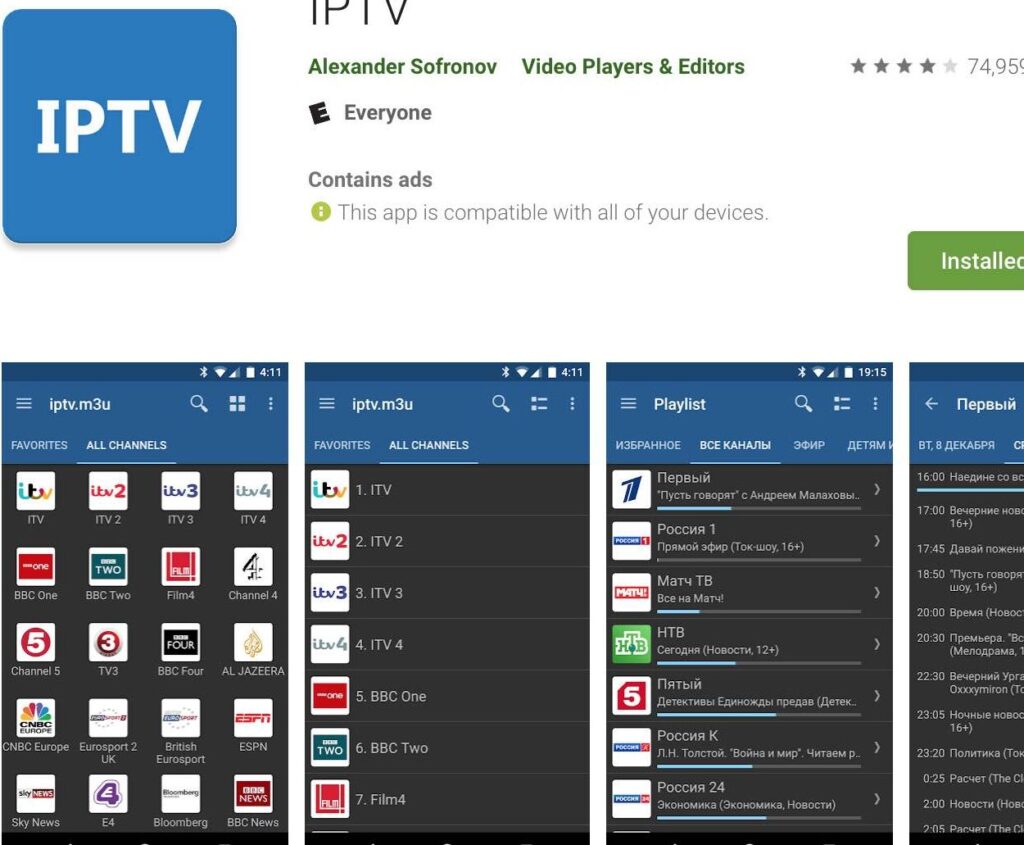
Understanding M3U IPTV Players: Your Ultimate Guide to Streaming
M3U IPTV players have become increasingly popular as a means for streaming content directly to your device. An M3U file is essentially a text file that contains information about playlists. It stands for MP3 URL or Moving Picture Experts Group Audio Layer 3 Uniform Resource Locator. This format is widely used for IPTV (Internet Protocol Television) because it allows users to stream internet-based television services, including live broadcasts and on-demand services.
To use an M3U IPTV player, you first need an M3U file, which typically contains links to the IPTV streams. These files can be obtained from various IPTV service providers, with some offering free content while others require a subscription. Once you have your M3U file, you can load it into the IPTV player, which will then parse the file and present you with a channel list.
The beauty of using an M3U IPTV player lies in its simplicity and compatibility. Most players are compatible with a wide range of devices, including smartphones, tablets, computers, and smart TVs. This flexibility means that you can enjoy your favorite shows, movies, and live sports events from virtually anywhere, provided you have an internet connection.
When choosing an M3U IPTV player, it's important to consider factors such as user interface, additional features like EPG (Electronic Program Guide), and the ability to record live TV. Some popular M3U IPTV players include VLC Media Player, Kodi, and Perfect Player. Each comes with its own set of features and user experience, so you may want to try a few to find the one that best suits your needs.
In terms of performance, the quality of your streaming experience will largely depend on the stability of your internet connection and the reliability of the IPTV service provider. High-speed internet is recommended to ensure smooth playback without buffering, especially when streaming high-definition content.
Security is another consideration when using M3U IPTV players. Since IPTV streams can come from various sources, it's crucial to ensure that you're accessing content legally and safely. Using a VPN can help protect your privacy and security by encrypting your internet connection and hiding your IP address.
Overall, M3U IPTV players offer a convenient and versatile way to access a vast array of television content over the internet. With the right setup and precautions, you can transform your device into a powerful media center for streaming all your favorite content.
What is an M3U IPTV player and how does it work?
An M3U IPTV player is a software application that allows you to stream Internet Protocol Television (IPTV) by using an M3U playlist file. The M3U file contains URLs of streaming media, which the player can access and play. To use it, you simply load the M3U file into the IPTV player, and it will connect to the online servers where the media content is hosted, enabling you to watch TV channels, movies, or other video content streamed over the internet.
How can you set up an M3U playlist on different devices for IPTV streaming?
To set up an M3U playlist for IPTV streaming on different devices, follow these general steps:
1. Obtain the M3U Playlist URL from your IPTV service provider.
2. On a PC or Mac, use VLC Media Player:
- Open VLC, go to Media > Open Network Stream.
- Enter the M3U URL and press Play.
3. On Android:
- Install an IPTV app like IPTV Smarters or GSE Smart IPTV.
- Add a new playlist by entering the M3U URL.
4. On iOS:
- Download an IPTV app such as GSE Smart IPTV.
- Add the M3U URL under the playlist section.
5. On Smart TVs:
- For TVs with a built-in IPTV application, enter the M3U URL directly.
- For others, download a compatible IPTV app and load the playlist using the M3U URL.
6. On Streaming Devices like Amazon Firestick:
- Use an app like IPTV Smarters or Perfect Player.
- Input the M3U URL to access your channels.
Always ensure you have the right to stream the content provided in the M3U playlist and that it complies with local laws and regulations.
What are the best M3U IPTV players available for various platforms?
Some of the best M3U IPTV players for various platforms include:
- VLC Media Player: Available on Windows, macOS, Linux, Android, and iOS, VLC is a versatile player that supports M3U playlists.
- Kodi: A powerful media center software that runs on multiple platforms including Windows, macOS, Linux, Android, and Raspberry Pi.
- IPTV Smarters Pro: This app is designed for Android and iOS devices and offers a user-friendly interface.
- Perfect Player IPTV: Available on Android, this app provides a nice EPG display and supports M3U playlists.
- GSE Smart IPTV: Compatible with iOS, Android, and Apple TV, GSE Smart IPTV is known for its advanced features and user-friendly design.
Always ensure you have the right to stream content through these players, as IPTV can sometimes be associated with illegal streaming.

Fixing the Unfixable: A Step-by-Step Guide to Solving 'Screen Recording Failed to Save' Errors

Top Picks for Personalized Avatars: Discover the Best Sites to Create Your Digital Self

Troubleshooting Love: How to Fix the 'We Ran into a Problem Loading New People' Error on Hinge

Ensuring Seamless Interaction: A Deep Dive into Model Compatibility with ChatGPT for Fluid Conversations
Troubleshooting Love: Why 'Undo' is Unavailable on Hinge and How to Navigate the App's Features

Silencing the Noise: A Guide to Hiding Alerts and Tailoring Your Message Notification Preferences
Go up
Deja una respuesta