

Step-by-Step Guide: How to Redeem and Pay with a TheFork Gift Card

How to Redeem and Pay with a TheFork Gift Card
If you've received a TheFork Gift Card and are wondering how to use it to pay for your next dining experience, here's a step-by-step guide on how to redeem and pay with your gift card.
1. Create or Log In to Your Account: To start, you'll need to have a TheFork account. If you don't already have one, you can create an account on the TheFork website or through the TheFork app. If you already have an account, simply log in.
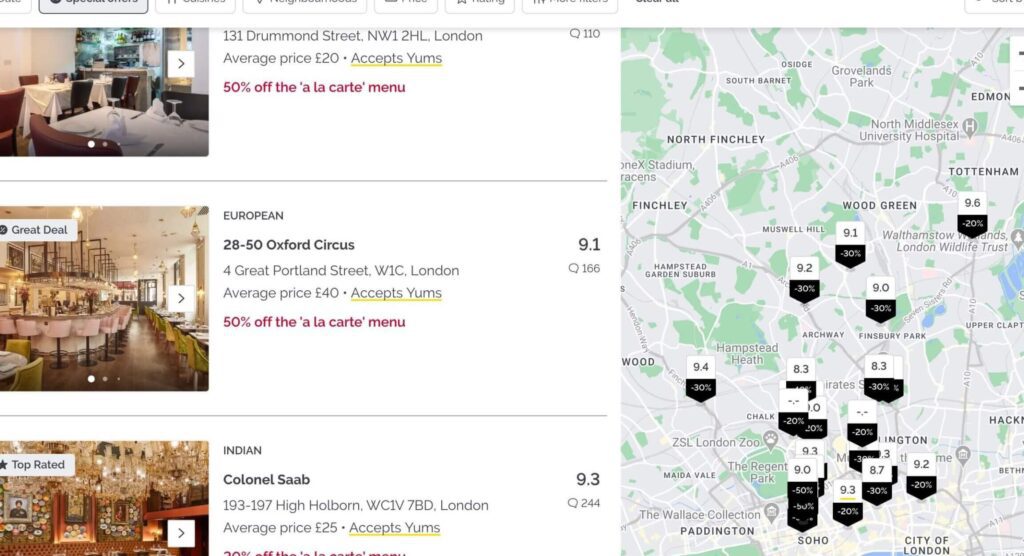
2. Find a Restaurant: Once logged in, browse through the list of restaurants that accept TheFork Gift Cards. You can filter your search to only show these restaurants to make your selection easier.
3. Book Your Table: After selecting a restaurant, proceed to book your table for the desired date and time. Ensure that the restaurant accepts TheFork Gift Cards as a form of payment.
4. Enter Your Gift Card Code: During the booking process, you will be prompted to enter any promotional codes or gift cards. Enter the code found on your TheFork Gift Card.
5. Confirm Your Booking: Complete the booking by confirming all details. The value of the gift card will be deducted from the total cost of your meal.
6. Pay Any Remaining Balance: If the cost of your meal exceeds the value of your gift card, you'll need to pay the remaining balance using another payment method accepted by the restaurant.
7. Enjoy Your Meal: Visit the restaurant at the booked time and enjoy your meal. Remember to inform the staff that you have booked with a TheFork Gift Card.
8. Finalize Payment: After your meal, if there is any additional amount to be paid that was not covered by the gift card, ensure you settle this with the restaurant directly.
Remember, TheFork Gift Cards may have expiration dates or specific terms and conditions, so be sure to check these details before attempting to redeem your card. Additionally, always verify that the restaurant accepts gift cards before making a reservation to avoid any inconvenience.
How can I redeem a TheFork gift card when making a reservation online?
To redeem a TheFork gift card when making an online reservation, follow these steps:
1. Visit TheFork website or open the app.
2. Choose the restaurant and select your desired date and time for the reservation.
3. During the booking process, look for an option to apply a promo code or gift card.
4. Enter the gift card code in the designated field.
5. Complete the reservation, and the gift card value will be applied to your booking.
Make sure to check if the restaurant accepts gift cards before trying to use it.
What should I do if my TheFork gift card is not accepted at checkout on the app?
If your TheFork gift card is not accepted at checkout on the app, you should first ensure that the card has not expired and that you have entered the correct code. If everything seems correct, try restarting the app or using a different payment method. If the issue persists, contact TheFork customer support for assistance.
Is it possible to combine multiple TheFork gift cards for a single booking, and how can this be done technologically?
Yes, it is possible to combine multiple TheFork gift cards for a single booking. Technologically, this can be done by entering the unique codes of each gift card at the checkout or payment stage on TheFork's platform. The system should be designed to accept and aggregate the value of multiple codes, deducting the total value from the final bill. If there are any issues, contacting customer service for assistance would be recommended.

Spanish Army's New Combat Rations: A Blend of Innovation and Sustainability

How to Say 'Salmón' in English: Everything You Need to Know

Tracing the Roots of Carbonell Olive Oil: A Journey Through Its History and Production Process

Whip Up a Storm with Tiphero's Ultimate Apple Fritter Bread Recipe!

Should You Tip Your Apple Courier? Unpacking the Etiquette of Tech Deliveries

Concocting the Perfect Night Out: A Guide to Applebee's Tipsy Zombie Cocktail
Go up
Deja una respuesta