

Mastering Cash Transactions with Mercado Pago: A Step-by-Step Guide

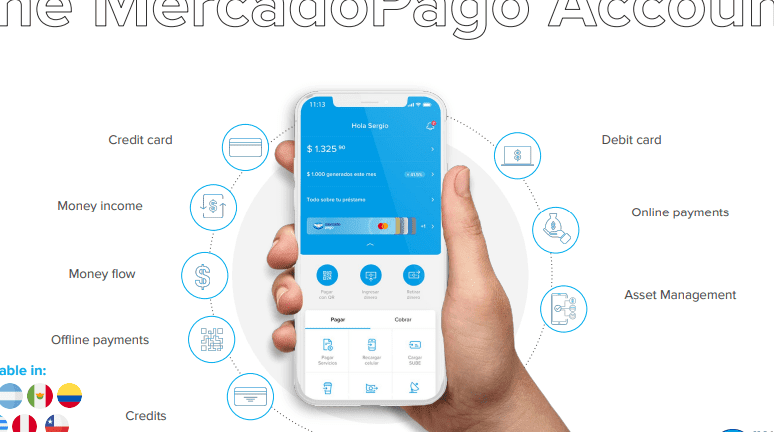
How to Accept Cash Payments with Mercado Pago
Accepting cash payments with Mercado Pago is a straightforward process that allows businesses to offer more flexibility to their customers. To get started, you need to have an active Mercado Pago account and ensure that your business is set up to use their services.
Here's how you can accept cash payments through Mercado Pago:
1. Generate a Payment Code: Log in to your Mercado Pago account and navigate to the section where you can create payment requests or tickets. Generate a unique payment code for the transaction that the customer wishes to pay in cash.
2. Share the Payment Code with Your Customer: Provide the customer with the generated payment code. This code can be shared through various means such as a printed ticket, a message, or even displayed on a screen.
3. Customer Pays in Cash at a Payment Partner Location: The customer takes this code to a nearby payment partner location. In many countries, these locations include convenience stores, pharmacies, or lottery agencies that are affiliated with Mercado Pago. The customer presents the code at the counter and pays the required amount in cash.
4. Payment Confirmation: Once the payment is made, Mercado Pago will process it and confirm the transaction. You will receive a notification indicating that the payment has been successfully completed.
5. Update Order Status: After receiving confirmation from Mercado Pago, update the order status on your end to reflect that the payment has been received. This ensures that both you and the customer have a clear record of the transaction.
It's important to note that while accepting cash payments via Mercado Pago, you should always verify that the payment has been confirmed by Mercado Pago before providing goods or services to the customer. This helps prevent fraud and ensures a secure transaction for both parties involved.
How can I set up cash payments for my services using Mercado Pago's technology?
To set up cash payments for your services using Mercado Pago's technology, you need to follow these steps:
1. Create a Mercado Pago account if you don't already have one.
2. Go to the Tools section and select 'Receive payments'.
3. Choose the option that allows you to generate payment links or QR codes.
4. Share the payment link or QR code with your customers so they can pay in cash at authorized payment centers, such as convenience stores partnered with Mercado Pago.
5. Once the payment is made, it will be reflected in your Mercado Pago account.
Remember to check the availability of this feature in your region, as cash payment options may vary.
What are the steps to process in-person cash transactions through Mercado Pago's platform?
To process in-person cash transactions through Mercado Pago's platform, follow these steps:
1. Access your Mercado Pago account and navigate to the physical payments section.
2. Enter the amount of the transaction.
3. The platform will generate a barcode or QR code for the transaction.
4. Have the customer scan the code with their Mercado Pago app or at a participating store that accepts Mercado Pago.
5. Once the customer completes the payment, you'll receive a confirmation notification.
6. Verify the transaction in your account's activity history.
Are there any specific tech integrations or devices required to accept cash payments with Mercado Pago?
To accept cash payments with Mercado Pago, no specific tech integrations or devices are required. Customers can simply choose the cash payment option and receive a barcode to pay at authorized locations, such as convenience stores or banks. However, for digital transactions, a smartphone or computer with internet access would be necessary to manage the Mercado Pago account.

Troubleshooting Guide: How to Resolve the 'Klarna Not Letting Me Pay' Issue at Online Stores

Scan and Pay: A Step-by-Step Guide to Using Barcode Payments at Checkout

Seamless Shopping: How to Use Klarna for Payment on Zalando

Mastering QR Code Payments: A Step-by-Step Guide to Using Mercado Pago

Scan to Pay: The Ultimate Guide to Making Payments with Barcode Technology

Seamless Transactions: How to Effortlessly Pay with Crypto.com
Go up
Deja una respuesta