

Seamless Play Anywhere: How Cloud Gaming Brings PC Games to Your Android Device

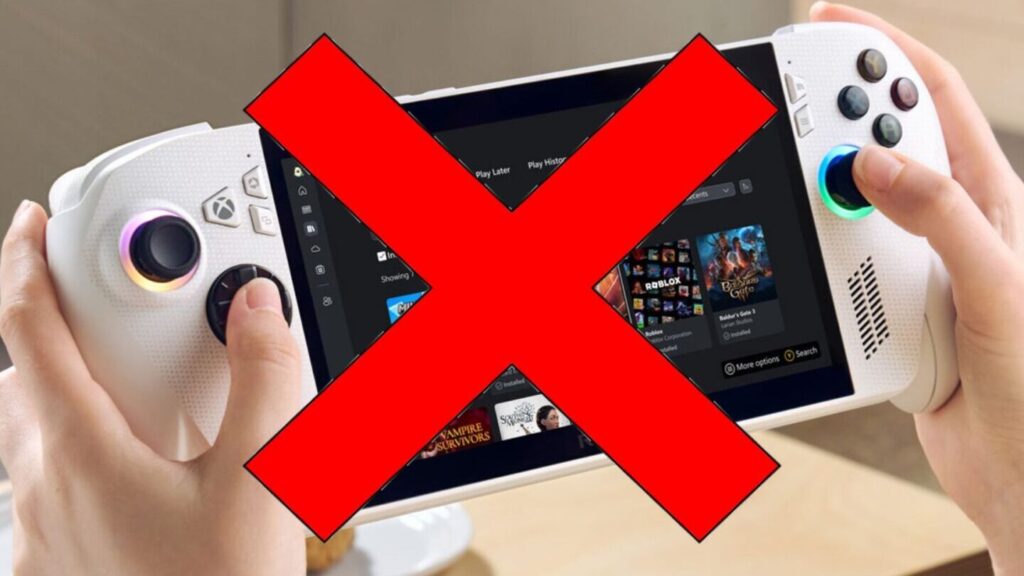
Stream High-End PC Games on Your Android: The Cloud Gaming Revolution
The cloud gaming revolution has transformed the way we think about video games and their accessibility. No longer are gamers tethered to high-end hardware; now, even the most demanding PC games can be streamed directly to your Android device. This leap in technology means that the barriers to entry for experiencing top-tier gaming content have been significantly lowered.
Services like NVIDIA GeForce Now, Microsoft's Xbox Cloud Gaming (xCloud), and Google Stadia have paved the way for this new era. They operate by hosting games on remote servers, taking on the heavy lifting of processing game data and streaming the gameplay footage to your device over the internet. This means that the quality of your gaming experience is no longer dependent on your local hardware but rather on the speed and stability of your internet connection.
One of the key benefits of cloud gaming on Android is the portability it offers. You can play AAA titles that would typically require a high-end PC or console, anywhere you go. Whether you're on a break at work, commuting, or lounging at home, your favorite games are just a few taps away. The only requirements are a compatible Android device, a robust internet connection, and a subscription to a cloud gaming service.
Moreover, cloud gaming services often come with libraries of games, which means you can access a multitude of titles without needing to purchase them individually. This subscription-based model can provide significant savings and variety for gamers who want to explore different genres and titles without committing to a full purchase.
However, it's important to note that while cloud gaming brings many conveniences, it also comes with its own set of challenges. Latency, or the delay between your actions and what happens on screen, can be an issue if your internet connection isn't up to par. Additionally, data usage can be substantial, so those without unlimited data plans need to be mindful of their consumption.
In conclusion, the ability to stream high-end PC games on your Android device represents a significant shift in the gaming landscape. The cloud gaming revolution offers unprecedented flexibility and convenience, allowing gamers to enjoy their favorite titles without the need for expensive hardware upgrades. As internet infrastructure continues to improve and cloud gaming technology advances, we can expect this trend to expand further, making high-quality gaming experiences more accessible to everyone.
What are the system requirements for playing PC games on an Android mobile via cloud gaming services?
To play PC games on an Android mobile via cloud gaming services, you'll need:
- A stable high-speed internet connection, preferably with low latency.
- An Android device running a compatible OS version (usually Android 5.0 or later).
- A subscription to a cloud gaming service like GeForce NOW, Xbox Cloud Gaming, or Google Stadia.
- A compatible game controller or the ability to use on-screen touch controls.
- Sufficient bandwidth for streaming (services may recommend 10 Mbps minimum, but faster is better for higher quality).
- The cloud gaming app installed on your Android device.
How does latency affect the gameplay experience when playing PC games on Android devices through cloud gaming platforms?
Latency significantly impacts the gameplay experience on Android devices using cloud gaming platforms by causing delays between a player's action and the game's response. High latency can lead to lag, making games feel unresponsive and difficult to control, which is particularly detrimental in fast-paced or competitive games where timing is crucial.
Can you use external controllers or peripherals when playing PC games on Android mobiles through cloud gaming, and how do they connect?
Yes, you can use external controllers or peripherals when playing PC games on Android mobiles through cloud gaming. They typically connect via Bluetooth or sometimes through USB if your device supports it. Ensure the controller is compatible with your Android device and the cloud gaming service you're using.

When Will the GTA 6 Trailer Drop in Spain? Everything You Need to Know

Maximizing Your Odds: Unveiling the Most Winning Gambling Games and Strategies

Discovering the World's Best Spinning Top: An In-Depth Analysis
Board Game Rentals: The Ultimate Group Entertainment Solution
Top 50 Must-Play Android Games of the Year: Your Ultimate Mobile Gaming Guide

Rev Up Your Android: Top 5 Car Games to Play on the Go
Go up
Deja una respuesta