

Troubleshooting Guide: How to Fix an Xbox Controller That's Blinking and Won't Connect

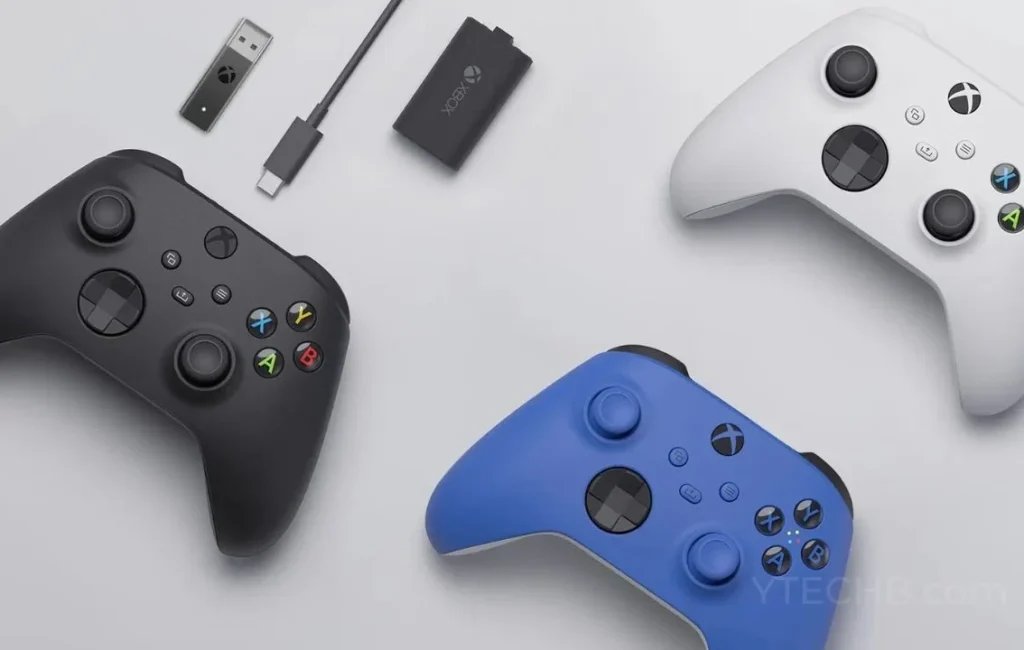
Troubleshooting Guide: How to Stop Your Xbox Controller from Blinking and Ensure a Stable Connection
If your Xbox controller is blinking and not connecting, it can be a frustrating experience. Here's a troubleshooting guide to help you stop the blinking and ensure a stable connection:
1. Check the Batteries: The first step is to make sure that your controller has fresh batteries. Weak or depleted batteries are often the culprit behind a blinking controller. Replace them with new ones and see if the issue persists.
2. Re-sync the Controller: If the batteries aren't the issue, try re-syncing the controller to your Xbox console. Press and hold the sync button on the top of the controller until the Xbox button starts flashing. Then, press the sync button on the console. Once the lights on both the controller and console stay lit, the syncing process is complete.
3. Update Controller Firmware: Sometimes, outdated firmware can cause connection issues. Connect your controller to the Xbox via a USB cable and go to the 'Devices & accessories' section in the settings menu. If there's an update available, apply it and check if the problem is resolved.
4. Hard Reset Your Console: A hard reset can clear any temporary glitches causing the controller to blink. To do this, hold down the power button on the front of the console for about 10 seconds until it shuts down completely. Wait a few moments, then turn it back on and attempt to connect the controller again.
5. Interference Issues: Wireless interference from other devices can also lead to connection problems. Make sure your Xbox isn't too close to Wi-Fi routers, microwaves, or other electronics that could interfere with the signal. Additionally, remove any objects between the controller and the console that might block the signal.
6. Try Another Controller: To determine if the issue is with the controller itself or the console, try connecting a different controller. If the new controller works without issue, the original controller may need to be repaired or replaced.
7. Contact Support: If none of these steps work, there may be a deeper hardware issue at play. Contact Xbox support for further assistance or to arrange for a repair.
By following these steps, you should be able to stop your Xbox controller from blinking and maintain a stable connection with your console. Remember to perform each step methodically and test the controller after each to see if the issue has been resolved.
Why is my Xbox controller blinking and not connecting to the console?
Your Xbox controller is likely blinking and not connecting to the console because it's either not paired or it's trying to establish a connection but can't find the console. This can happen if the controller is too far from the console, there's interference, or if the controller needs to be re-synced. Make sure your console is on and within range, then press the pair button on the console followed by the pair button on the controller to re-establish a connection. If the issue persists, check the batteries as they may need to be replaced.
How can I reset my Xbox controller when it's blinking and failing to connect?
To reset your Xbox controller when it's blinking and failing to connect, follow these steps:
1. Power cycle the console by holding the power button for 10 seconds until it shuts off, then turn it back on.
2. Re-sync the controller by pressing the sync button on the console, followed by the sync button on the controller.
3. If it still doesn't connect, try resetting the controller by using a pin to press the small reset button located on the back of the controller near the L2 trigger.
If the issue persists, check for firmware updates for the controller or consider trying it with another device to rule out hardware issues.
What are the common troubleshooting steps for an Xbox controller that's blinking and won't connect?
If your Xbox controller is blinking and won't connect, try the following troubleshooting steps:
1. Check the batteries: Ensure they are properly inserted and have sufficient charge.
2. Re-sync the controller: Press the sync button on the console, then press the sync button on the controller.
3. Restart your console: Power off the Xbox, wait a few seconds, then turn it back on.
4. Update the controller firmware: Connect the controller to the Xbox via USB and check for updates in the 'Devices & accessories' menu.
5. Try another controller: To determine if the issue is with the controller or the console.
6. Hard reset the console: Hold the power button for 10 seconds to perform a full reboot.
If none of these steps work, the controller may need to be repaired or replaced.

Go up
Deja una respuesta