

Stream Like a Pro: A Step-by-Step Guide to Playing BBC Radio on Your HomePod

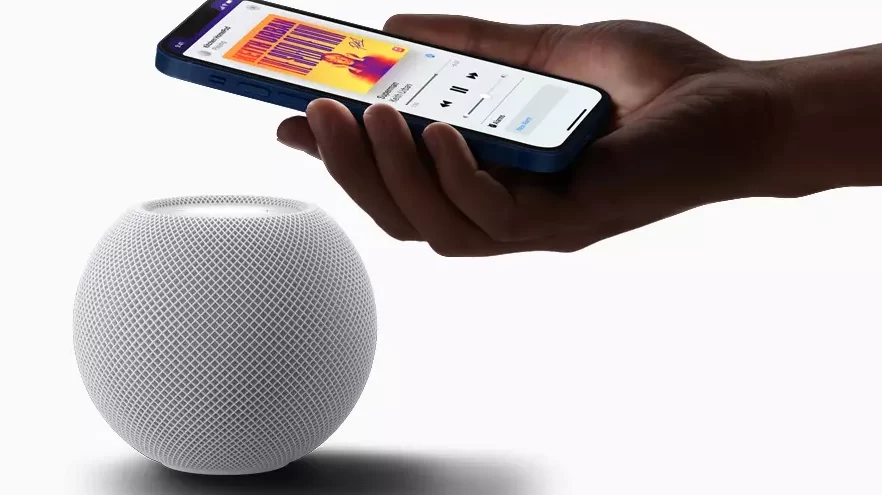
Unlock the World of BBC Radio on Your HomePod: A Simple Guide
Have you ever wished to fill your room with the diverse and engaging content of BBC radio, using nothing but your voice? If you own an Apple HomePod, you're in luck! Today, we're diving into the surprisingly simple world of how to reproduce the radio of the BBC in the Homepod. Whether you're a fan of news, drama, music, or sports, BBC radio has something for everyone. And guess what? By the end of this article, you'll be able to access it all with a simple command.
What You Need Before You Start
Before we get into the nitty-gritty, let's make sure you have everything you need:
- An Apple HomePod or HomePod mini
- The latest version of iOS on your iPhone or iPad
- The Home app set up on your iOS device
- A stable Wi-Fi connection
Got all that? Great! Now, let's move on to the magic of tuning into BBC radio.
Step-by-Step: Tuning into BBC Radio on Your HomePod
Here's the part you've been waiting for – how to reproduce the radio of the BBC in the Homepod. Follow these steps, and you'll be listening in no time:
- Activate Siri: Begin by saying "Hey Siri" to wake up your HomePod's assistant.
- Request the Station: Simply ask Siri to play the BBC radio station you want to listen to. For example, say "Hey Siri, play BBC Radio 1."
- Enjoy the Broadcast: Sit back, relax, and enjoy the show. Siri will take care of the rest!
It's really that easy. But what if you want to explore more options?
Finding Your Favorite BBC Radio Stations
With a plethora of stations available, you might be wondering how to find your favorites. Here's a tip: just ask Siri! Say "Hey Siri, what BBC radio stations can you play?" and you'll get a list of options. From BBC Radio 2's classic hits to the cutting-edge discussions on BBC Radio 4, there's a station for every mood and interest.
Setting Up a Routine with Your HomePod
Do you have a favorite BBC radio program that you never want to miss? Set up a routine with your HomePod! Here's how:
- Open the Home app on your iOS device.
- Tap 'Automation' at the bottom of the screen.
- Choose 'Create new Automation' and select the trigger (like a specific time of day).
- Add the action of playing your chosen BBC radio station.
- Save the automation, and your HomePod will play the station automatically at the set time.
This way, you'll never miss your favorite shows, whether it's the morning news or an evening comedy slot.
Troubleshooting Common Issues
Sometimes, technology can be a bit finicky. If you're having trouble getting BBC radio to play on your HomePod, here are a few quick fixes:
- Ensure your HomePod is updated to the latest software version.
- Check your Wi-Fi connection and make sure your HomePod is connected properly.
- Restart your HomePod by unplugging it and plugging it back in after a few seconds.
If you're still facing issues, don't hesitate to reach out to Apple Support for help.
Exploring Beyond BBC Radio
Your HomePod isn't limited to just BBC radio. It can play a wide range of content from various sources. Try asking Siri to play podcasts, audiobooks, or even ambient sounds to create the perfect atmosphere in your home.
The World of Audio at Your Command
There you have it – a complete guide on how to reproduce the radio of the BBC in the Homepod. With these simple steps, you can unlock a vast array of audio content that can educate, entertain, and even inspire. Remember, your HomePod is more than just a speaker; it's a gateway to a world of sound.
But wait, there's more! Did you know that your HomePod can also help you stay organized, control smart home devices, and even find your iPhone? Stay tuned for our next article where we'll uncover some of the lesser-known, yet incredibly useful features of your HomePod. Until then, happy listening!
How to Stream BBC Radio on Your HomePod
Streaming BBC Radio on your HomePod can be a seamless experience with the use of Apple's voice assistant, Siri, or through AirPlay from an iOS device. Here's how you can enjoy your favorite BBC Radio stations on your HomePod.
Using Siri:
1. Make sure your HomePod is set up and connected to the same Wi-Fi network as your iOS device.
2. Activate Siri by saying "Hey Siri," followed by your command. For example, you can say, "Hey Siri, play BBC Radio 1."
3. Siri may utilize the built-in integration with radio services like TuneIn to stream the station.
If Siri does not recognize the station or cannot play it directly, you might need to use your iOS device to AirPlay the station to your HomePod.
Using AirPlay from an iOS Device:
1. Open the BBC Sounds app or any other radio app that streams BBC stations on your iOS device.
2. Start playing the desired BBC Radio station.
3. Access the iOS Control Center by swiping down from the top-right corner of the screen (or up from the bottom edge on older devices).
4. Tap on the audio card in the upper right corner of the Control Center to bring up the audio output options.
5. Select the AirPlay icon, which looks like a triangle with concentric circles above it.
6. From the list of available devices, choose your HomePod. The audio should then transfer from your iOS device to the HomePod.
Remember that your iOS device must remain connected to the same Wi-Fi network as your HomePod for AirPlay to work properly. Additionally, ensure that both your HomePod and iOS device are updated to the latest version of their respective operating systems to avoid any compatibility issues.
Top 10 Everyday Uses for the HomePod Mini!
What are the steps to stream BBC radio on a HomePod using Siri voice commands?
To stream BBC radio on a HomePod using Siri, follow these steps:
1. Make sure your HomePod is set up and connected to Wi-Fi.
2. Enable the BBC Sounds app in the iOS Home app if necessary.
3. Say, "Hey Siri, play BBC Radio [station name]," such as "Hey Siri, play BBC Radio 1."
If the station doesn't start playing, ensure that you have the latest software updates for your HomePod and iOS device.
Can I use the Apple Home app to set up my HomePod to play BBC radio stations?
Yes, you can use the Apple Home app to set up your HomePod to play BBC radio stations by creating a shortcut that uses Siri to stream the station via a service like TuneIn. However, you cannot directly select a radio station from within the Home app; you'll need to use voice commands or the Shortcuts app to start playing the station on your HomePod.
Is it possible to create a shortcut to play my favorite BBC radio station on the HomePod?
Yes, it is possible to create a shortcut to play your favorite BBC radio station on the HomePod. You can use the Shortcuts app on your iOS device to create a custom command that, when invoked, will start playing the station directly on your HomePod.

Unlocking Endless Entertainment: A Guide to IPTV Decoders

Seamless Parking Payments: A Step-by-Step Guide to Using EasyPark

Unlocking the Power of IPTV: How to Stream Like a Pro with Chromecast

Unlocking Endless Entertainment: Choosing the Right IPTV Subscription Service

Step-by-Step Guide: How to Redeem Your Bimba y Lola Gift Card Online

Becoming a Digital TV Tycoon: The Ultimate Guide to Becoming a Successful IPTV Reseller
Go up
Deja una respuesta