

Seamless Transactions: How to Pay with Your Revolut Virtual Card

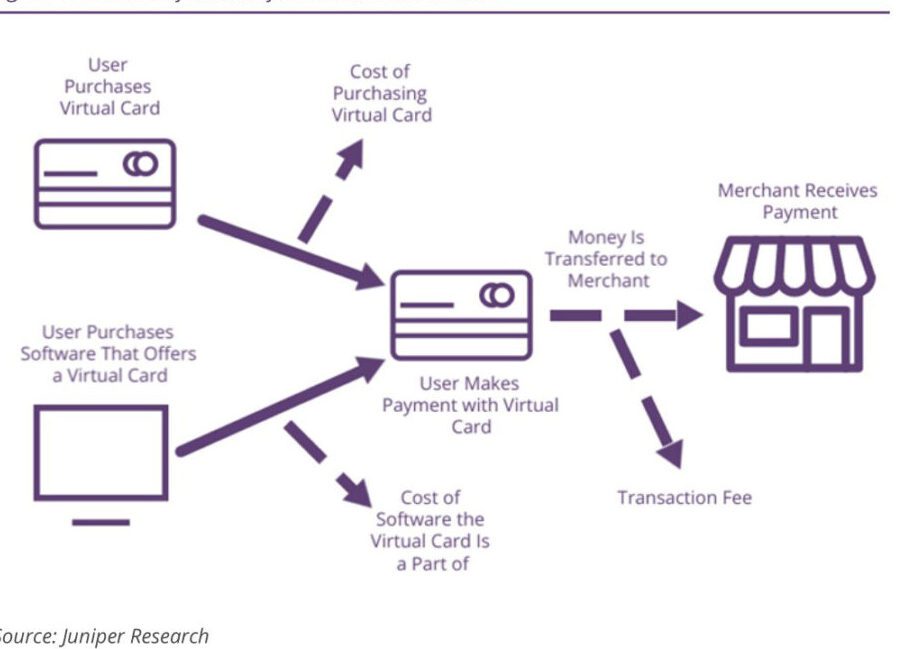
How to Make Payments with Your Revolut Virtual Card
Making payments with your Revolut Virtual Card is a seamless process that mirrors the convenience of using a physical card, without the need to carry one around. Here's how you can use your virtual card for transactions:
1. Access Your Virtual Card: Open the Revolut app on your smartphone and navigate to the 'Cards' section. Here, you'll find your virtual card along with its details—card number, expiration date, and CVV.
2. Online Purchases: When making an online purchase, select the 'Credit or Debit Card' payment option at checkout. Enter your Revolut Virtual Card details as prompted. Ensure the billing address matches the one registered with your Revolut account.
3. In-App Payments: For in-app purchases, such as ordering food or booking rides, add your virtual card to the app's payment methods. This typically involves entering your card details once and saving them for future transactions.
4. Contactless Payments: If you want to use your virtual card for contactless payments in-store, you can add it to a digital wallet like Apple Pay or Google Pay. Simply follow the prompts within the wallet app to add your Revolut Virtual Card.
5. Subscription Services: Use your virtual card to pay for subscription services like streaming platforms or software licenses. Input your card details into the service's payment settings and your payments will be automatically deducted when due.
6. Security Features: Take advantage of Revolut's security features by setting spending limits or freezing the card if necessary. You can do this directly from the app, giving you control over your virtual card's usage.
Remember, while a Revolut Virtual Card offers the flexibility and security for online and in-store purchases, always ensure that you're transacting on secure websites and reputable apps to protect your financial information.
How do I set up a virtual card with Revolut for online payments?
To set up a virtual card with Revolut for online payments, follow these steps:
1. Open the Revolut app on your smartphone.
2. Navigate to the 'Cards' section.
3. Tap on 'Add New Card' and select 'Virtual'.
4. Choose the currency for the virtual card.
5. Confirm the creation of the card.
Once created, you can use the virtual card details displayed in the app for your online transactions. Remember to keep these details secure.
What are the steps to pay with a Revolut virtual card on e-commerce websites?
To pay with a Revolut virtual card on e-commerce websites, follow these steps:
1. At checkout, select the option to pay by credit/debit card.
2. Enter your Revolut virtual card details, including the 16-digit card number, expiration date, and CVV code.
3. Confirm the payment details and proceed to authorize the transaction.
4. You may need to complete an additional security step via the Revolut app if prompted.
5. Once authorized, the payment will be processed, and you should receive confirmation from both the e-commerce site and Revolut.
Can I use my Revolut virtual card for contactless payments through mobile technology?
Yes, you can use your Revolut virtual card for contactless payments by adding it to a mobile wallet like Apple Pay or Google Pay. Once added, you can make contactless transactions with your smartphone or smartwatch at compatible terminals.

Troubleshooting Guide: How to Resolve the 'Klarna Not Letting Me Pay' Issue at Online Stores

Scan and Pay: A Step-by-Step Guide to Using Barcode Payments at Checkout

Seamless Shopping: How to Use Klarna for Payment on Zalando

Mastering QR Code Payments: A Step-by-Step Guide to Using Mercado Pago

Scan to Pay: The Ultimate Guide to Making Payments with Barcode Technology

Seamless Transactions: How to Effortlessly Pay with Crypto.com
Go up
Deja una respuesta