

Mastering Crypto Payments: A Step-by-Step Guide to Using Your Binance Card

How to Make Payments with the Binance Card
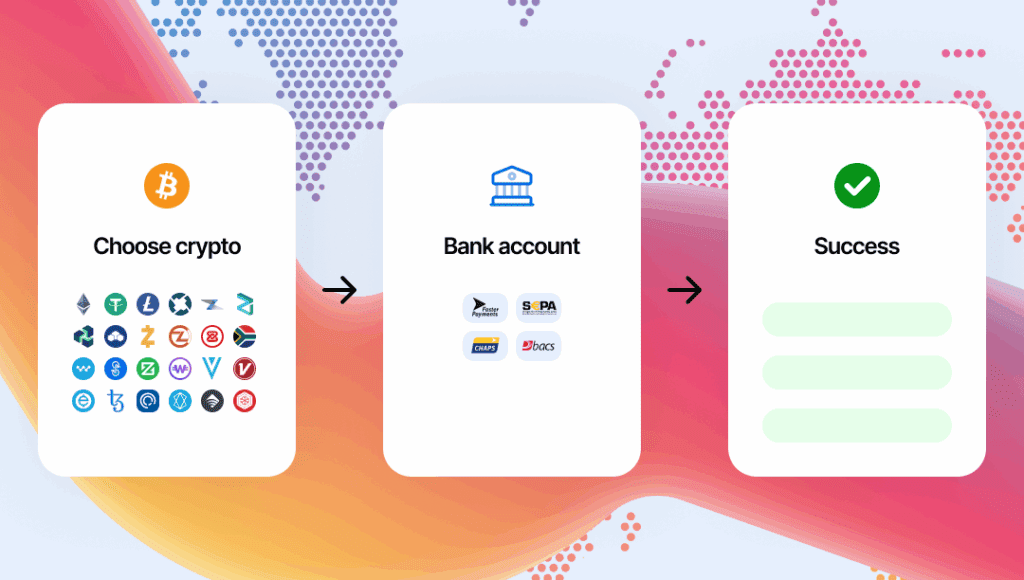
The Binance Card is a cryptocurrency debit card that allows you to make payments with your digital assets at merchants around the world that accept Visa cards. To use your Binance Card for payments, follow these steps:
1. Order Your Binance Card: First, you need to apply for a Binance Card through the Binance website or app. You will have to go through a verification process and agree to the terms and conditions.
2. Activate the Card: Once you receive your Binance Card, you'll need to activate it. This can typically be done within the Binance app by entering the details of your card.
3. Top-Up Your Card: Before you can make payments, you need to top up your Binance Card with cryptocurrency. You can do this by transferring funds from your Binance spot wallet to your card wallet.
4. Choose Your Preferred Digital Asset: In the Binance app, select which cryptocurrency you want to use for your transactions. The Binance Card supports multiple cryptocurrencies, and you can choose which one to deduct funds from for your payments.
5. Make Payments: To pay with your Binance Card, simply use it as you would any other debit card. When making a purchase, swipe or insert your card into the POS terminal, enter your PIN, and complete the transaction. The amount will be deducted in the cryptocurrency you selected, converted to the local currency of the merchant at the current exchange rate.
6. Track Your Spending: You can monitor your transactions and manage your Binance Card through the Binance app. It allows you to see your spending history, remaining balance, and manage your security settings.
Remember that while the Binance Card offers the convenience of using cryptocurrency for everyday transactions, it's important to be aware of the potential volatility in cryptocurrency prices which can affect the value of your payments. Always ensure you have sufficient funds in your preferred asset to avoid declined transactions.
How can I link my Binance card to a digital wallet for contactless payments?
To link your Binance card to a digital wallet for contactless payments, follow these steps:
1. Open your digital wallet app (e.g., Google Pay, Apple Wallet).
2. Select the option to add a new card.
3. Enter your Binance card details manually or use the app's camera feature to capture them.
4. Follow any additional verification steps required by your digital wallet, which may include a confirmation code sent via SMS or email.
5. Once verified, your Binance card will be added to your digital wallet, and you can start making contactless payments.
Ensure that both your digital wallet and the merchant support the payment network (Visa or Mastercard) associated with your Binance card.
What are the steps to follow for setting up a Binance card for online purchases?
To set up a Binance Card for online purchases, follow these steps:
1. Apply for the Binance Card on the Binance website or through the app.
2. Complete the identity verification process as required.
3. Once approved, activate the card in your Binance account.
4. Top-up your card with cryptocurrencies from your Binance wallet.
5. Ensure to convert your crypto to the card's default fiat currency if necessary.
6. For online purchases, use the card details provided within the app just like any other debit card.
Remember to check for any additional steps or verifications that may be specific to your region.
Are there any specific security features in the Binance card technology to protect against fraudulent transactions?
Yes, the Binance Card includes several security features to protect against fraudulent transactions. These include two-factor authentication (2FA), the ability to freeze and unfreeze the card instantly via the app, and end-to-end encryption for transaction security. Additionally, users can set up spending limits and receive real-time transaction alerts to monitor activity.

Troubleshooting Guide: How to Resolve the 'Klarna Not Letting Me Pay' Issue at Online Stores

Scan and Pay: A Step-by-Step Guide to Using Barcode Payments at Checkout

Seamless Shopping: How to Use Klarna for Payment on Zalando

Mastering QR Code Payments: A Step-by-Step Guide to Using Mercado Pago

Scan to Pay: The Ultimate Guide to Making Payments with Barcode Technology

Seamless Transactions: How to Effortlessly Pay with Crypto.com
-
-
 F. Tips dice:
 It's great to see your interest in mastering crypto payments with the Binance Card. Following the step-by-step guide provided, you can easily navigate the process of ordering, activating, and using your card for payments. Remember to top up your card with cryptocurrency, choose your preferred digital asset, and make payments just like you would with a traditional debit card. Monitoring your transactions and managing your card through the Binance app ensures a seamless experience. Happy spending!
-
 F. Tips
 Deja una respuesta
This step-by-step guide on mastering crypto payments using the Binance Card is incredibly detailed and informative. It provides clear instructions on how to order, activate, top-up, and use the card for making payments with digital assets. The content is well-organized and easy to follow, making it a valuable resource for anyone looking to navigate the world of cryptocurrency payments. Additionally, the inclusion of tips on tracking spending and managing the card through the Binance app adds an extra layer of usefulness to this guide. Overall, this content is commendable for its thoroughness and practicality in simplifying a complex topic like crypto payments.