

Fueling Up with Plastic: How to Pay at the Gas Station Using Your Credit Card

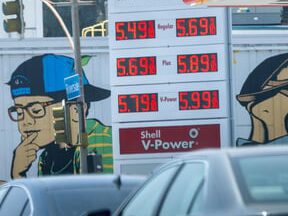
How to Pay at the Gas Station Using Your Credit or Debit Card
Paying at the gas station with your credit or debit card is a straightforward process that involves a few simple steps. Here's how you can do it:
1. Locate the Card Reader: When you pull up to the pump, look for the card reader. It's usually positioned near the screen that displays the price per gallon and the amount of gas you're getting.
2. Insert Your Card: Slide your card into the slot, making sure to follow the directions indicated by the arrows on the reader. Most pumps require you to insert your card with the magnetic strip facing a certain direction.
3. Select Payment Type: After inserting your card, you may be prompted to select whether it's a credit or debit transaction. Choose the appropriate option for your card.
4. Enter Your PIN: If you're using a debit card, you'll likely need to enter your Personal Identification Number (PIN). Make sure to shield the keypad from view to protect your PIN from any prying eyes.
5. Choose the Fuel Grade: Once your card has been authorized, you can select the type of fuel you want to use. Press the button corresponding to the grade of gasoline you wish to purchase.
6. Pump Your Gas: Lift the nozzle, select the desired fuel grade if you haven't already, and begin fueling your vehicle. Keep an eye on the pump to monitor how much gas you're getting and how much it's costing you.
7. Complete the Transaction: After you've finished pumping gas, the screen may ask if you want a receipt. If you do, press the corresponding button. Otherwise, you can simply hang up the nozzle and your transaction will be complete.
8. Remove Your Card: Don't forget to take your card out of the reader. Leaving it behind could put your financial information at risk.
Using your credit or debit card at the gas station is not only convenient but also allows you to keep track of your expenses more easily through your bank statements. Always ensure that you follow these steps carefully to maintain the security of your financial information.
How can I use contactless payment technology to pay for fuel at a gas station?
To use contactless payment technology at a gas station, follow these steps:
1. Look for a contactless symbol at the pump, indicating it accepts NFC (Near Field Communication) payments.
2. Unlock your smartphone or smartwatch and open your digital wallet app where your credit or debit card is stored.
3. Hold your device near the contactless reader until you hear a beep or see a confirmation on the screen.
4. Follow any additional prompts on the pump's display to select the fuel grade and begin fueling.
Ensure your device has NFC capabilities enabled and that the gas station supports contactless payments before attempting to pay.
What are the steps to pay at the pump with a credit or debit card?
To pay at the pump with a credit or debit card, follow these steps:
1. Pull up to the pump and turn off your vehicle.
2. Insert your card into the designated slot at the pump.
3. Select the fuel grade you wish to use.
4. Authorize the transaction by entering your PIN or zip code if prompted.
5. Lift the nozzle and select the fuel type if required.
6. Begin fueling by pressing the handle.
7. Once finished, hang up the nozzle.
8. The pump will display the amount charged, and you may receive a receipt if you choose to print one.
Are there any mobile apps that allow for payment at gas stations, and how do they work?
Yes, there are mobile apps that allow for payment at gas stations. Apps like Shell, Exxon Mobil Rewards+, and BPme enable users to pay for fuel directly from their smartphones. These apps typically work by linking a user's credit or debit card to the app. At the gas station, the user selects the pump number within the app and authorizes the payment. Some apps may also offer additional features such as finding the nearest gas station or earning rewards.

Troubleshooting Guide: How to Resolve the 'Klarna Not Letting Me Pay' Issue at Online Stores

Scan and Pay: A Step-by-Step Guide to Using Barcode Payments at Checkout

Seamless Shopping: How to Use Klarna for Payment on Zalando

Mastering QR Code Payments: A Step-by-Step Guide to Using Mercado Pago

Scan to Pay: The Ultimate Guide to Making Payments with Barcode Technology

Seamless Transactions: How to Effortlessly Pay with Crypto.com
Go up
Deja una respuesta