

Unlocking the Potential of IPTV: A Comprehensive Guide to Smart Players and Streaming Innovation

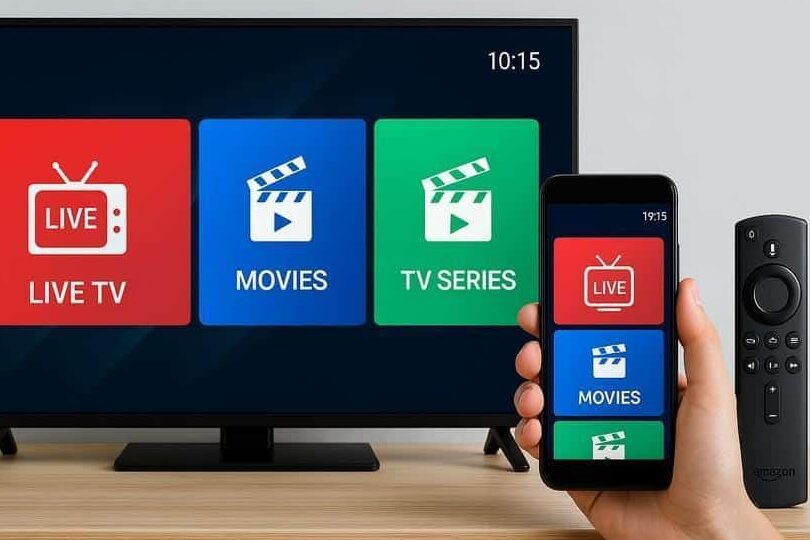
Unlocking the Potential of IPTV Smart Players: A Comprehensive Guide
IPTV, or Internet Protocol Television, has revolutionized the way we consume media, offering a more personalized and interactive experience compared to traditional cable or satellite TV. At the heart of this innovation are IPTV smart players, which allow users to stream their favorite shows, movies, and live events directly over the internet.
To fully harness the capabilities of IPTV smart players, it's essential to understand their functionality and the technology that powers them. These devices connect to your television and home network, enabling you to access a vast array of content through various applications and services. They work by decoding the signals received over the internet and presenting them in a user-friendly interface on your TV screen.
One of the key benefits of using an IPTV smart player is the customizable viewing experience. Unlike conventional TV programming, IPTV allows you to choose what to watch and when to watch it. This is made possible through Video on Demand (VOD) services, time-shifted media, and live IPTV channels. With VOD, you can select from a library of content to stream instantly. Time-shifted media lets you catch up on previously aired content, while live IPTV channels provide the real-time viewing experience of live broadcasts.
Another significant advantage is the interactivity offered by IPTV smart players. Many devices come with features such as pause, rewind, and fast-forward on live TV, as well as interactive guides and personal recording options. This level of control transforms the viewing experience, making it more engaging and tailored to individual preferences.
The integration of high-definition (HD) and 4K streaming is also a hallmark of modern IPTV smart players. As internet speeds have increased, so too has the ability to stream high-quality video content without buffering or delays. This ensures that viewers can enjoy their favorite shows and movies in the best possible resolution, with crisp images and vibrant colors.
Setting up an IPTV smart player is typically straightforward. Most devices require a simple connection to your TV via HDMI and a stable internet connection. Once connected, the setup process will guide you through connecting to your home network and installing the necessary applications to access content.
It's important to note that while IPTV smart players offer a wealth of content, they often rely on subscriptions or pay-per-view fees for premium content. However, there are also many free IPTV services available that provide a range of channels and on-demand content at no additional cost.
In conclusion, IPTV smart players represent a significant step forward in home entertainment. By leveraging internet technology, they provide a versatile and immersive viewing experience that puts the viewer in control. Whether you're looking to explore new TV shows, catch up on missed episodes, or simply enjoy live events in high definition, an IPTV smart player could be the perfect addition to your home entertainment setup.
What is IPTV Smart Player, and how does it differ from traditional television broadcasting technologies?
IPTV Smart Player is a streaming application designed to deliver television content over the internet using Internet Protocol (IP). Unlike traditional television broadcasting technologies such as cable or satellite, which transmit signals through radio frequencies or physical connections, IPTV streams content directly to a user's device on-demand. This allows for features like live pause, rewind, and a more personalized viewing experience.
How can one set up IPTV Smart Player on various devices such as smart TVs, smartphones, and streaming boxes?
To set up an IPTV Smart Player on various devices, follow these general steps:
1. Smart TVs: Download the IPTV app from your TV's app store (e.g., Smart IPTV, SS IPTV). Open the app and note the MAC address displayed. Go to the app's associated website on a computer or mobile device, enter your MAC address, and upload your IPTV subscription's M3U playlist URL.
2. Smartphones (iOS & Android): Install an IPTV player app from your respective app store (e.g., GSE Smart IPTV, IPTV Smarters). Launch the app, add a new playlist, and input your IPTV subscription details, usually the M3U URL or Xtream Codes.
3. Streaming Boxes (Roku, Apple TV, etc.): For devices like Roku, add an IPTV channel through the Roku Channel Store or use a screencasting method if direct installation isn't available. On Apple TV, download an IPTV app from the App Store and enter your subscription information.
Remember to always use a legitimate IPTV service provider and ensure that you have a stable internet connection for the best streaming experience.
What are the common issues users may encounter with IPTV Smart Player, and how can they troubleshoot these problems?
Common issues with IPTV Smart Player include buffering, connectivity problems, channel loading errors, and app crashes. To troubleshoot these problems:
1. Buffering: Check your internet speed and stability. If necessary, upgrade your plan or improve Wi-Fi signal strength.
2. Connectivity Issues: Ensure your device is connected to the internet. Restart your router/modem and the IPTV device.
3. Channel Loading Errors: Refresh the playlist or contact your IPTV provider to confirm there's no issue on their end.
4. App Crashes: Update the app to the latest version, clear cache, or reinstall the IPTV Smart Player.
Always consult the user manual or support forums for specific guidance related to your device and software version.

Securing Your Online Presence: A Step-by-Step Guide to Properly Setting Up Two-Factor Authentication (2FA)

5 Steps to Detect a Virus on Your PC Without Antivirus Software

Top 10 Cutting-Edge Alternatives to IPTV Smarters Pro in 2026: Streamlining Your Viewing Experience

Projecting the Future: What to Expect from the VA Disability Pay Scale in 2026

Stream Like a Pro: The Ultimate Guide to Watching IPTV Playlists with VLC Media Player on Your PC

Securing Your Inbox: A Step-by-Step Guide to Detecting Email Leaks on the Dark Web
Go up
Deja una respuesta